
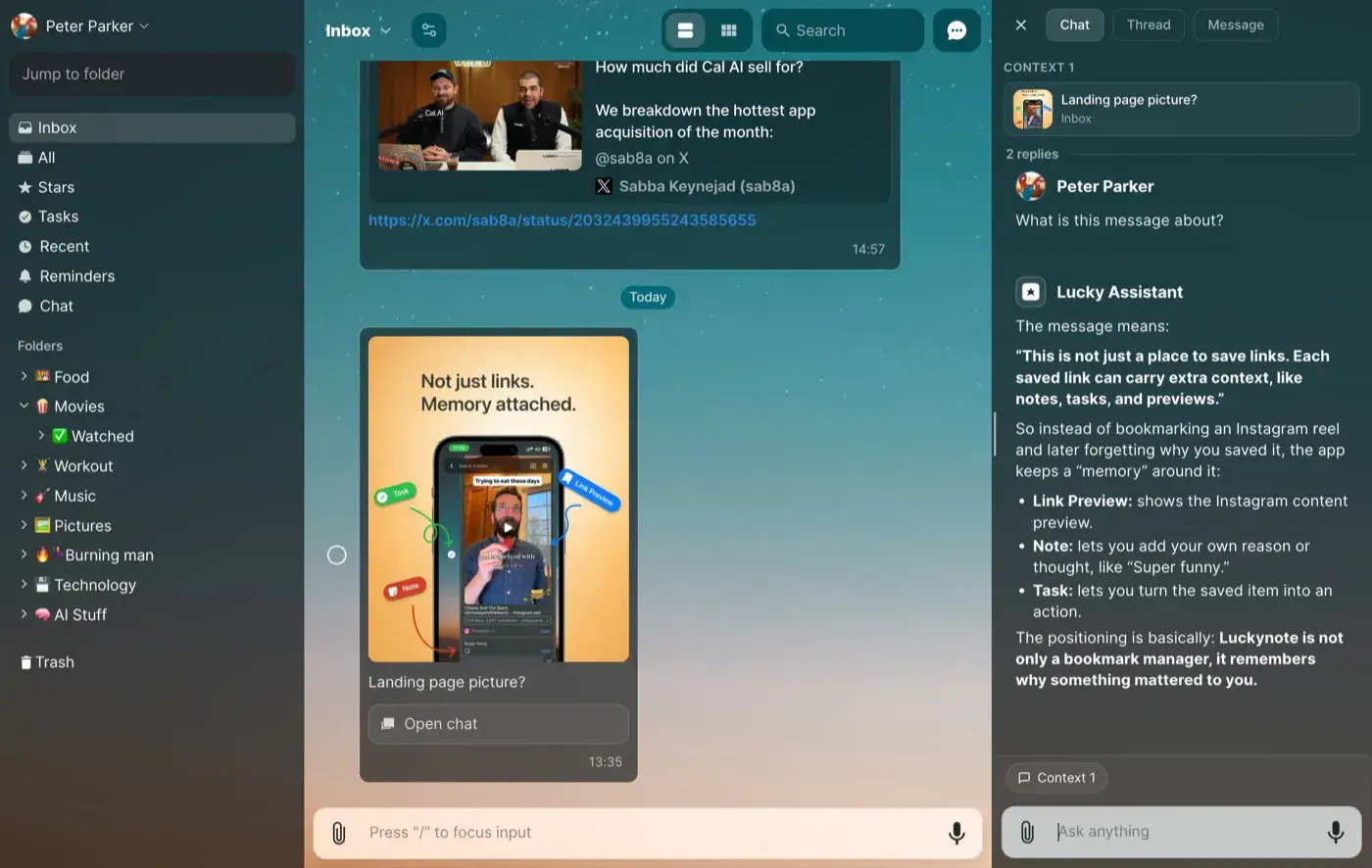
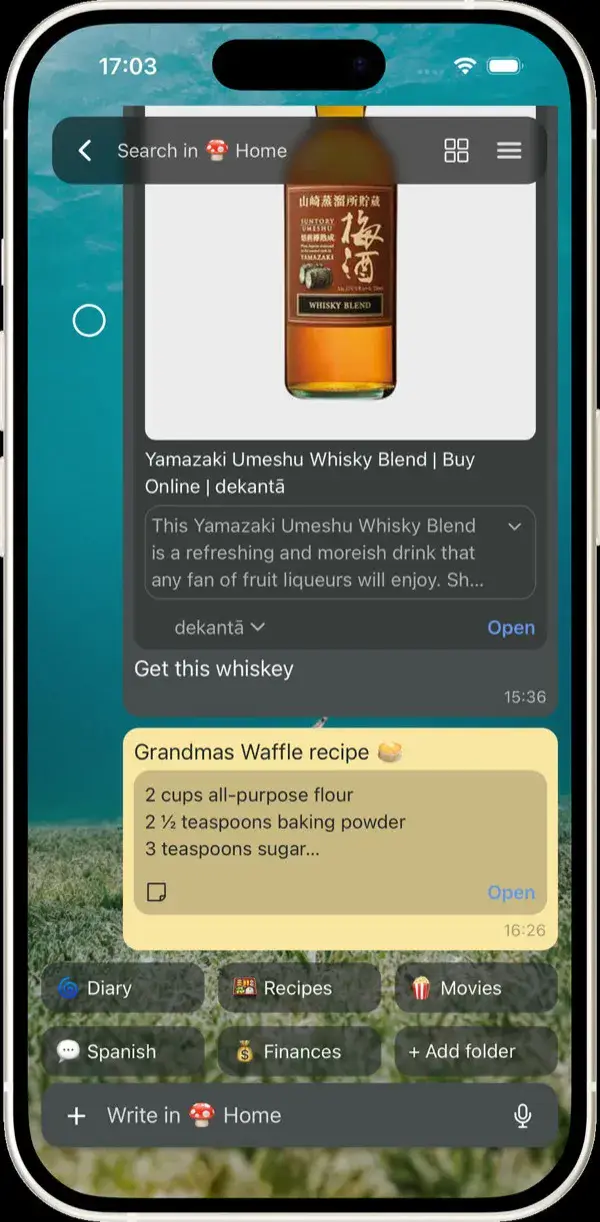

What happens after you save
Six ways Luckynote puts your saves to work
You don’t need to organize, tag, or remember where you saved things. Luckynote extracts what matters in the background so it’s ready when you need it.
Save any reel, video, or article
Skip the 15-minute watch and get straight to the point.
- —The 2-minute friction rule for deep work
- —Why morning dopamine determines afternoon focus
- —Recommended book: Deep Work by Cal Newport
Pull out the recipe
No 3-minute intro story. Just ingredients and steps ready to cook.
- 200g rigatoni or paccheri
- 3 egg yolks + 1 whole egg
- 100g guanciale, cubed
- 50g Pecorino Romano, freshly grated
Pull out cafés and places
Never lose a spot casually mentioned in a travel reel or tweet.
- 📍Koffee MameyaOmotesando · pour-over flight
- 📍Fuglen TokyoShibuya · retro espresso bar
- 📍Bear Pond EspressoShimokitazawa · signature dirty
Ask your saves anything
Talk directly with everything you’ve ever saved in natural language.
What can I cook with salmon tonight?
Based on 2 recipes you saved: 15-min air fryer miso salmon, or lemon butter pan-seared fillet with asparagus.
Turn anything into a task
Auto-detect dates from flyers, tickets, or texts and remind you in time.
Save from anywhere
Share via WhatsApp, Telegram, browser, or camera. No tagging needed.
- WhatsAppForwarded voice note (transcribed)
- ChromeBookmarklet · 1-click snapshot
- TelegramShared screenshot with text OCR
Loved by people who save things to use later
Real feedback from people who keep ideas, links, tasks, and notes in Luckynote instead of losing them across apps.
You have no idea how impressed I still am with the app. I used to look for the right way to save things, and I could never really find it. For example, I wanted to save a video and I just could not, for a bunch of reasons. In Capacities you cannot do that, so I had to upload it to Drive, copy the link, and keep it there. I could download the video and leave it in my gallery, but I would never see it again. In Google Keep I could not save videos either, plus so many other problems. What you did with the app is so simple, I can even play TikTok videos. It feels like magic. Thank you.

This is exactly what I've always been looking for! Before I had to use the autosend chat feature of Telegram and WhatsApp. I love that I can create folders and organize my notes according to topics, it helps a lot!

A unique way to take notes. I've finally found a note-taking app that truly fits my needs. It's packed with features, meticulously crafted, and developed by a community that listens to its users.

Super happy with the app. Great design that can be adjusted by taste. Really good to organise thoughts but also capture moments in sound and picture. Moved from Evernote with pleasure.

I saw this app on Reddit and honestly, my mind is blown away! I used to send everything to myself through Telegram or WhatsApp but this is really good, congratulations.

It works so well to organize all my bookmarks, todos, knowledge base, etc. I use it every day. The UX is great too.

Exceptionally good for keeping self notes with time stamps. Great flow and style, a must have app in your arsenal.
I like how Luckynote is practical at note taking unlike other note taking apps. It's exactly what I needed.

This is awesome. Useful for people who WhatsApp themselves. Finally found something that works!
Your memory, without the maintenance
Luckynote keeps what you save useful and easy to return to—without turning organization into another job.
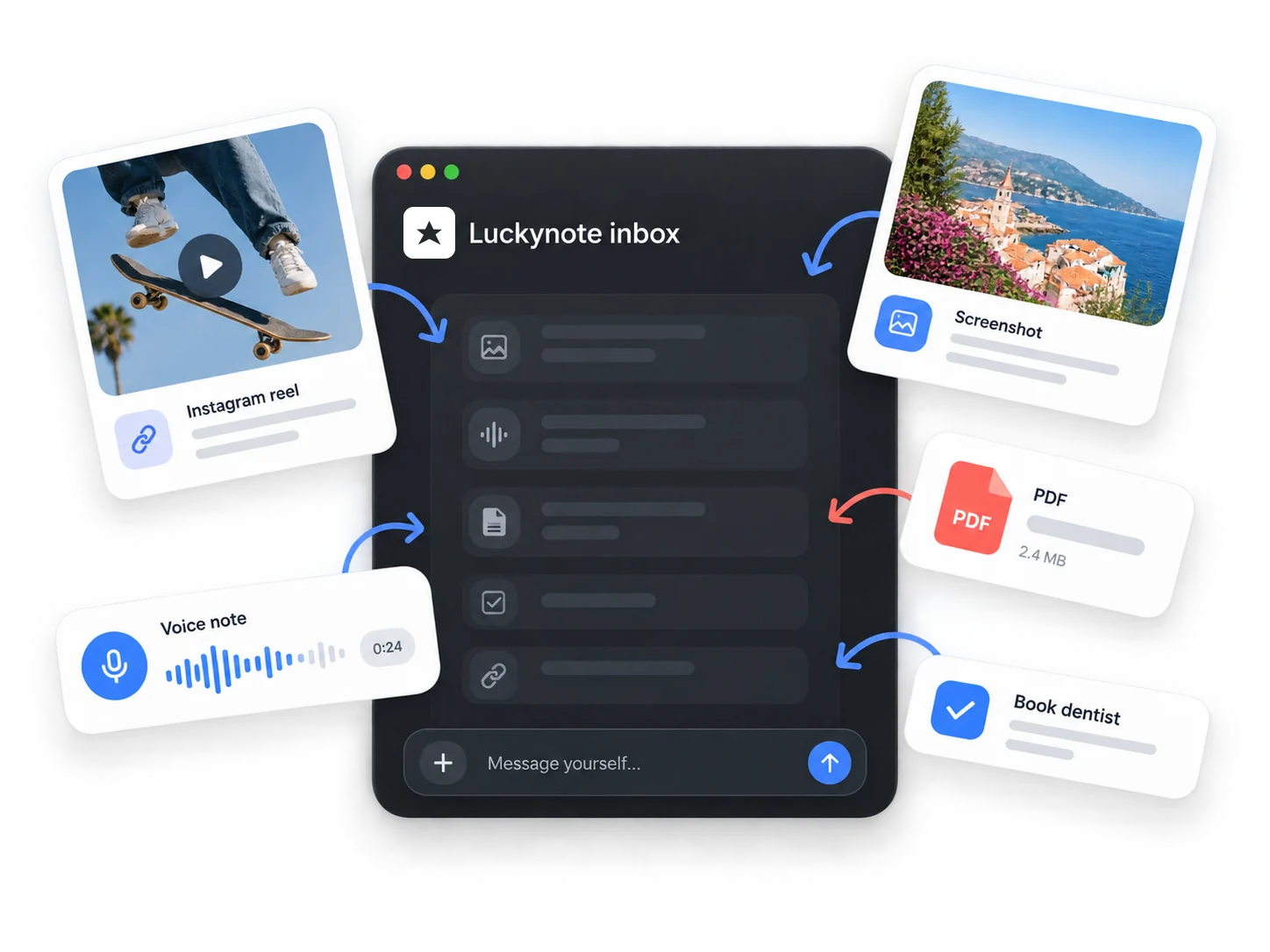
Drop things in before they disappear
As easy as messaging yourself. Send a photo, a voice note, a link, a file, or a half-typed thought. Save it the way it shows up, without stopping to decide where it belongs.
Luckynote reads text inside screenshots, transcribes voice notes, and keeps link context, so quick saves become useful knowledge later.
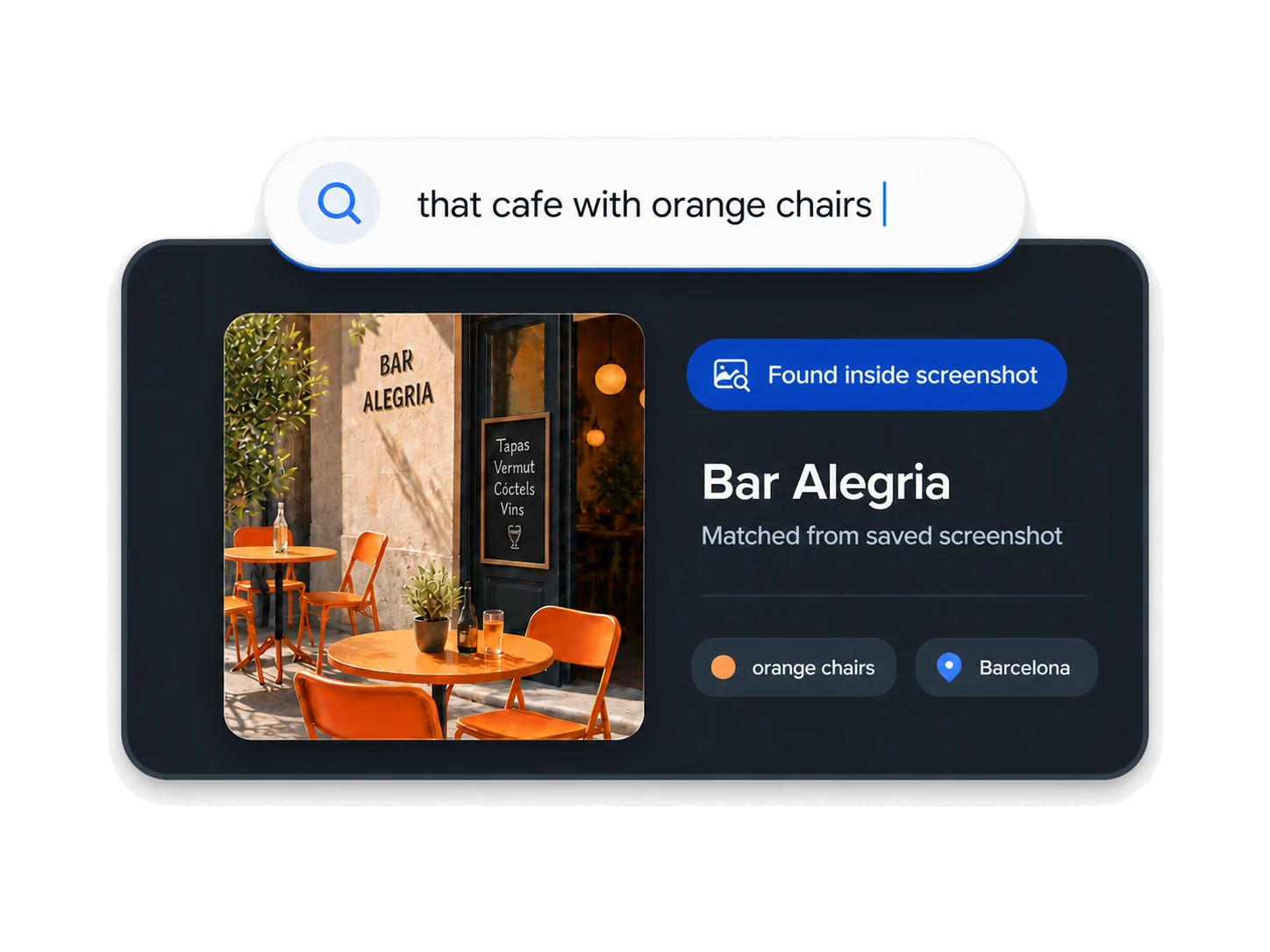
Remember what, not where
Search "that pasta recipe from Instagram" and it comes up, even though you never typed a word of it.
Search the detail you remember, even if it came from a screenshot, link, file, or voice note. That recipe can live in a folder later. You do not need one before you save it.
Stay organized without becoming an organizer
Use folders when they help. Star important notes. Turn anything into a task when it becomes actionable.
Or do none of that and just search later. See how people use Luckynote as a personal inbox.
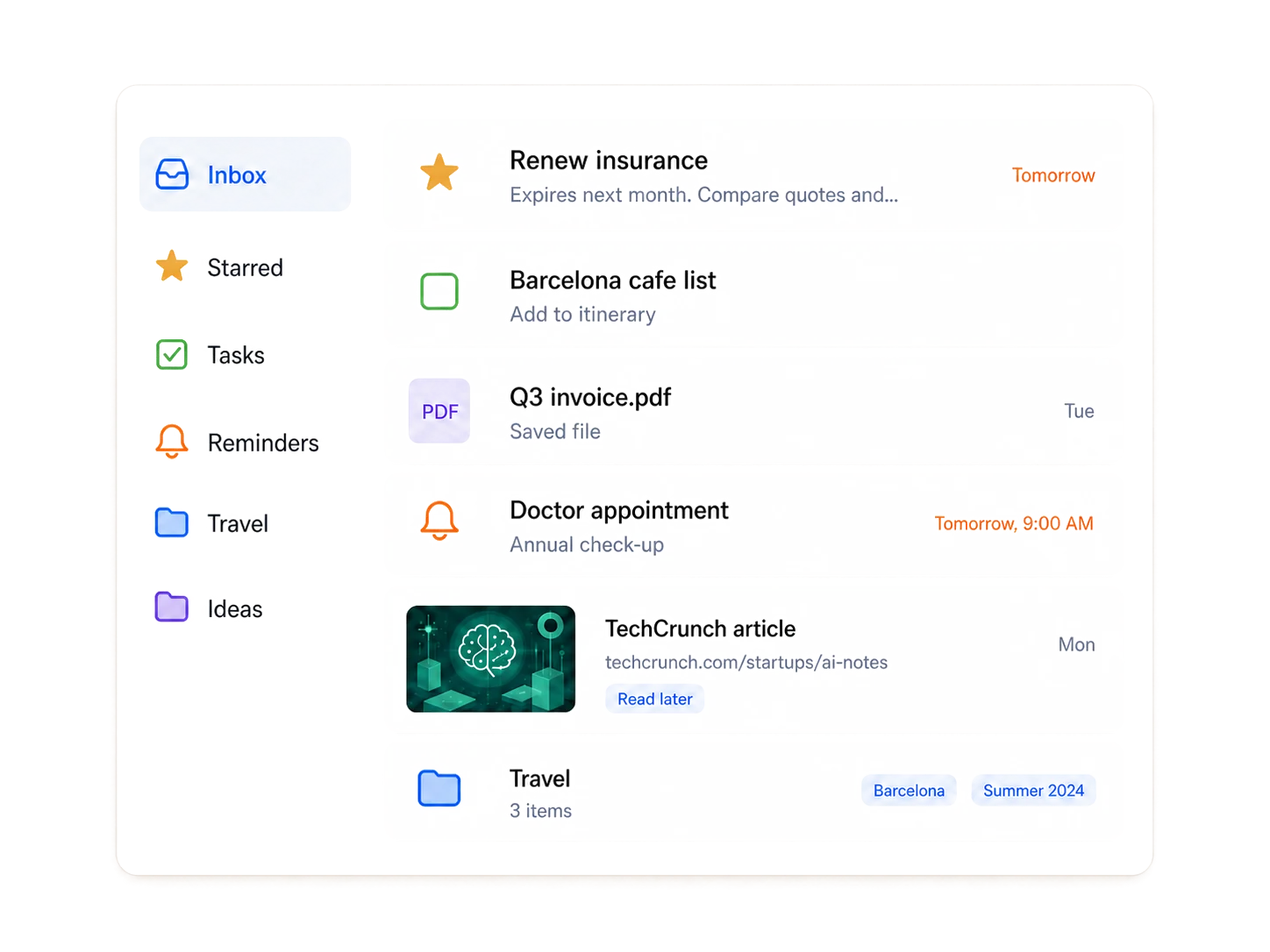
Put your next save to work
Send something to Luckynote, then come back to the useful detail when you need it.


Save from wherever the thought happens
Share a reel, forward a link, upload a file, paste a note, or save a screenshot. Luckynote gives it a place before your attention moves on.
One place for the things your future self will need
Second brain
Let links, notes, files, screenshots, and voice notes become a personal knowledge base over time.
Saved links you can actually find
Keep articles, reels, videos, and posts with enough context to remember why they mattered.
Voice notes
Say the thought before it disappears. Luckynote keeps the transcript searchable for later.
Recipes and travel
Save the reel, screenshot, link, place, or reminder while it is still interesting.
Journaling
Keep daily notes, voice memos, and photos in one place your future self can search.
Get it out of your head
Sometimes saving the thought is enough. Luckynote keeps it there without asking you to organize it.
See how saving becomes finding
A short walkthrough of sending things to Luckynote, letting them become searchable, and finding them again later.
Simple, Transparent Pricing
Start free, upgrade when you need more. All plans include unlimited folders.
Built because I needed it

I had things saved everywhere - different apps, different folders, different devices. I'd spend more time trying to remember where something was than actually using it.
I tried more than 100 different tools before deciding to build my own. For a while, texting myself still worked better than most of them: one thread, everything in one place. But it did not scale - and I knew I was only saving the simplest things, when I had so much more information I wanted to keep and actually use.
So I took everything I knew about UX and the note-taking pain I'd lived with for years, and built the tool I actually wanted: something fast like messaging myself, but useful like a second brain - where I can find anything I've ever saved, without having to feel lucky about it.
That's why it's called Luckynote. Not because finding things is a gamble - but because with the right tool, you can feel lucky every single day.
Frequently Asked Questions
Everything you need to know about Luckynote